

The KonMari method transforms cluttered rooms into calm, intentional spaces — but most guides focus on closets and bedrooms. A home office is harder. It holds work tools, legal paperwork, tech cables, and sentimental items all at once, and no single rule covers all of them. Here’s how to apply the method correctly so it actually holds.
Why the KonMari Method Behaves Differently in a Work Space
Marie Kondo’s system runs on one rule: keep only what sparks joy. In a bedroom, that’s manageable. In a home office, it breaks down almost immediately.
A tax return from 2026 doesn’t spark joy. Neither does a power adapter for a laptop you replaced two years ago. But you might think you need both. This friction — “I don’t want it, but I might need it” — is exactly the clutter trap that fills most home offices. It’s also where KonMari is most powerful. The method forces a binary decision on every single object. Most people have never done that systematically, for anything.
The Core Question Has to Shift for Office Items
For personal belongings, Kondo asks: “Does this spark joy?” For work items, that prompt needs a modifier: “Does this serve a current function, or am I keeping it out of fear?”
Those questions lead to very different answers. Fear-based keeping fills offices with dead cables, outdated software manuals, and printer cartridges for hardware donated in 2026. Naming the fear explicitly — “I’m keeping this because I’m afraid I’ll need it someday” — makes it significantly easier to let go. Fear is not a filing system.
Category Over Location: Why This Changes the Outcome
Standard tidying goes drawer by drawer. You clean one area, feel accomplished, and stop. The same category of item — say, office supplies — is still scattered across three other locations. Nothing is actually resolved.
KonMari works by pulling every item in a category into one physical pile before evaluating a single piece. Every pen in the entire office, from every drawer, bag, and cup on every surface, goes onto the floor. When you see 43 pens in a pile, keeping 38 of them feels absurd. That visual truth is what breaks the accumulation habit — not willpower, not productivity tips. Just the actual count.
The Rebound Problem and Why This Method Prevents It
Offices tidied by location rebound within 90 days. Reliably. The reason: you rearranged things rather than decided about them. Cables migrate. Supplies multiply. Clutter fills available space.
When you process by category — all cables together, all notebooks together, all files together — you make a complete decision once. Duplicates can’t hide across multiple locations. You cannot own 14 notebooks and forget about 10 of them when they’re all on the floor in front of you simultaneously. The pile is the accountability mechanism.
The Exact Order to Declutter a Home Office With KonMari

The sequence matters. Start with the wrong category and you hit decision fatigue before reaching the items that genuinely need hard choices. Follow this order:
- Books and manuals first. Pull everything off every shelf — reference books, how-to guides, device manuals, printed guides. Keep books you’ll actually consult in the next 12 months. For device manuals specifically: every major manufacturer posts PDFs online. Download it, recycle the paper copy. There is no reason to own a physical manual for anything made after 2010.
- Papers second — and be ruthless. This is the most time-consuming category. Pull every paper from every surface, drawer, bag, and folder in the room. Don’t sort as you go — get it all in one pile first, then divide into exactly three groups: Action (requires a task or response), Archive (legal, medical, financial records you’re legally required to keep), and Discard (everything else). Kondo’s default for paper is discard. Apply it aggressively. When in doubt, scan it and throw out the physical copy.
- Komono — miscellaneous — third. This covers cables, chargers, office supplies, gadgets, stationery, and accessories. Group identical items together before touching any of them. If you own six USB-C cables, keep two. If a cable has no identifiable device within 30 seconds of examination, it goes immediately. No exceptions for the “mystery cable” drawer.
- Sentimental items last. Awards, framed photos, client gifts, old project memorabilia. These are the hardest decisions, so Kondo saves them deliberately for the end. By the time you reach this category, you’ve processed hundreds of items and your discard instinct is calibrated. Decisions that felt impossible at the start of the day feel straightforward at hour eight.
Handling Digital Clutter the Same Way
KonMari was designed for physical objects, but the logic transfers directly to digital environments. Apply the same category sequence to your desktop, downloads folder, email inbox, and cloud storage. Delete files older than two years you’ve never accessed. Archive means “needed and findable” — not “saved forever just in case.”
The desktop especially: if you can’t see your wallpaper, the visual noise affects your focus every time you open your laptop. Cap desktop icons at 10. Anything beyond that belongs in a folder or deleted entirely.
How Long the Process Actually Takes
A full home office KonMari session takes 6–10 hours for most people. Don’t start at 3pm on a Tuesday. Block a full Saturday and protect it. Stopping halfway creates a mid-process disaster — piles everywhere, nothing filed, energy gone — that’s harder to resume than the original clutter. Bring snacks. Take a break after the paper category. Making 200+ decisions in sequence is genuinely fatiguing in a way most people don’t anticipate.
Four Mistakes That Send You Back to Square One
These are the patterns that return people to a cluttered desk within six months. Every single one is avoidable.
- Buying storage before discarding. The most common — and most expensive — mistake. Picking up drawer organizers from IKEA or fabric bins from Target before removing anything gives clutter a tidier home. It doesn’t reduce clutter. Storage purchased before discarding is wasted money. Discard everything first. Buy storage only after you know exactly what remains and in what quantities.
- Keeping the “just in case” cable drawer. If you can’t identify what a cable connects to within 30 seconds, it goes. The cable you’ll “definitely need someday” costs $8 to replace on Amazon. The cognitive overhead of managing a drawer full of mystery cables — the searching, the untangling, the doubting — costs more than $8 per week in wasted time and low-grade frustration.
- Not finishing in one session. The momentum of a KonMari session is not a metaphor. Stopping halfway through leaves a half-dismantled office that demoralizes you from finishing. Piles sit. Categories blur. Items get shoved back into drawers without decisions. Clear your calendar and finish before you sleep.
- Skipping the labeling step. Once every item has an assigned location, label that location. The Brother P-touch Cube PT-P300BT ($39) connects via Bluetooth, pairs with a free iOS and Android app, and prints clean adhesive labels in minutes. Without labels, your new system relies entirely on memory — and the memory of everyone else who uses your space. Systems that require memorization don’t survive contact with a family or a busy week.
Storage Products That Match KonMari’s Logic
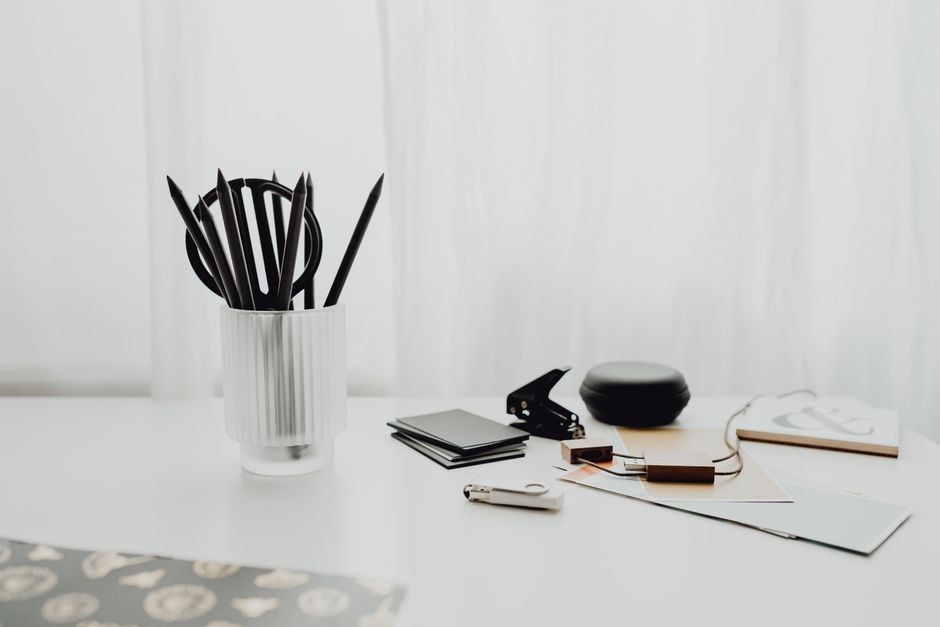
After discarding, the storage you buy should be designed for intentional keeping — not maximum capacity. The goal: see every item immediately, access it without moving other things, return it to its home in one motion. These products meet that standard.
| Product | Price | Best For | Key Spec |
|---|---|---|---|
| IKEA KALLAX 2×2 Shelf Unit | $59 | Books and binders | 33×33cm per cube, open face |
| Muji Acrylic Desk Organizer Set | $15–$35 | Pens, small supplies, clips | Stackable, clear acrylic modules |
| Yamazaki Tower Desk Organizer | $42 | Mail and document sorting | Steel frame, 4 open slots |
| Poppin Letter Tray (3-pack) | $48 | Action / Archive / Pending paper | Stackable, 12 color options |
| IKEA KVISSLE Cable Management Box | $14 | Power strip and cable concealment | Holds standard surge protector |
| Brother P-touch Cube PT-P300BT | $39 | Labeling drawers, bins, shelves | Bluetooth, iOS and Android app |
| Pendaflex Hanging File Folders (25-pack) | $17 | Archive file drawer | Letter size, color-coded tabs |
Clear vs. Opaque Storage: Which One to Use Where
KonMari philosophy leans toward knowing what’s in a container without opening it. That means clear storage wins in most situations. Muji’s acrylic organizers are the standard recommendation for a reason — they’re modular, don’t look cluttered on a desktop, and stack in configurations that match what you actually own rather than forcing everything into predetermined slots.
Opaque boxes work inside drawers, where aesthetics matter less and a label on the front face does the same job as clear walls. On open shelves, opaque containers become closed black holes where items get lost and eventually forgotten. The one exception: if you take video calls with your shelving visible on camera, identical opaque boxes with label holders on the front face look cleaner on screen than clear acrylic.
Vertical Filing Is Not Optional
Kondo is explicit on this point: papers go vertical, not stacked. Stacks hide everything below the top sheet. You cannot see what’s in a stack without touching it. A standard filing drawer loaded with Pendaflex hanging folders lets you read every folder tab at a glance without pulling anything out. If your desk setup doesn’t include a filing drawer, the Poppin Letter Tray 3-pack does the same job on your desktop surface — three labeled trays, stacked, stops paper from migrating across every flat surface in the room within 48 hours of being organized.
One Container for Supplies You Actually Use
You need one good pen and a backup. Not eight pens, four highlighters, and a cup full of dried-out markers. The Muji Acrylic Pen Stand ($15) holds up to 20 writing utensils — which is already more than most people use in a given month. KonMari offices aren’t minimal for visual reasons. They’re minimal because excess creates the small daily frictions — searching, shuffling, second-guessing — that make work feel harder than it actually is.
When KonMari Is the Wrong System for Your Office

KonMari works best for people with largely digital workflows, stable recurring paper types (invoices, contracts, tax documents), and a consistent desk setup that doesn’t change week to week. It works poorly for project-based creative workers who need physical reference materials rotating constantly — fabric samples, hardware components, printed mockups, photography equipment — where no single item has a permanent home because the work itself keeps shifting.
It also doesn’t map well onto physical product businesses where inventory quantities change daily. For those workflows, a project-based organization approach — grouping items by active project rather than by category — creates far less friction. David Allen’s Getting Things Done and Ryder Carroll’s The Bullet Journal Method both describe systems built for that kind of work. Use KonMari to clear the baseline and eliminate dead weight accumulated over years. Then build the ongoing organization system around how your work actually operates, not around how a tidy office is supposed to look.
The system you’ll maintain without thinking about it is always better than the one that looks perfect on day one.